




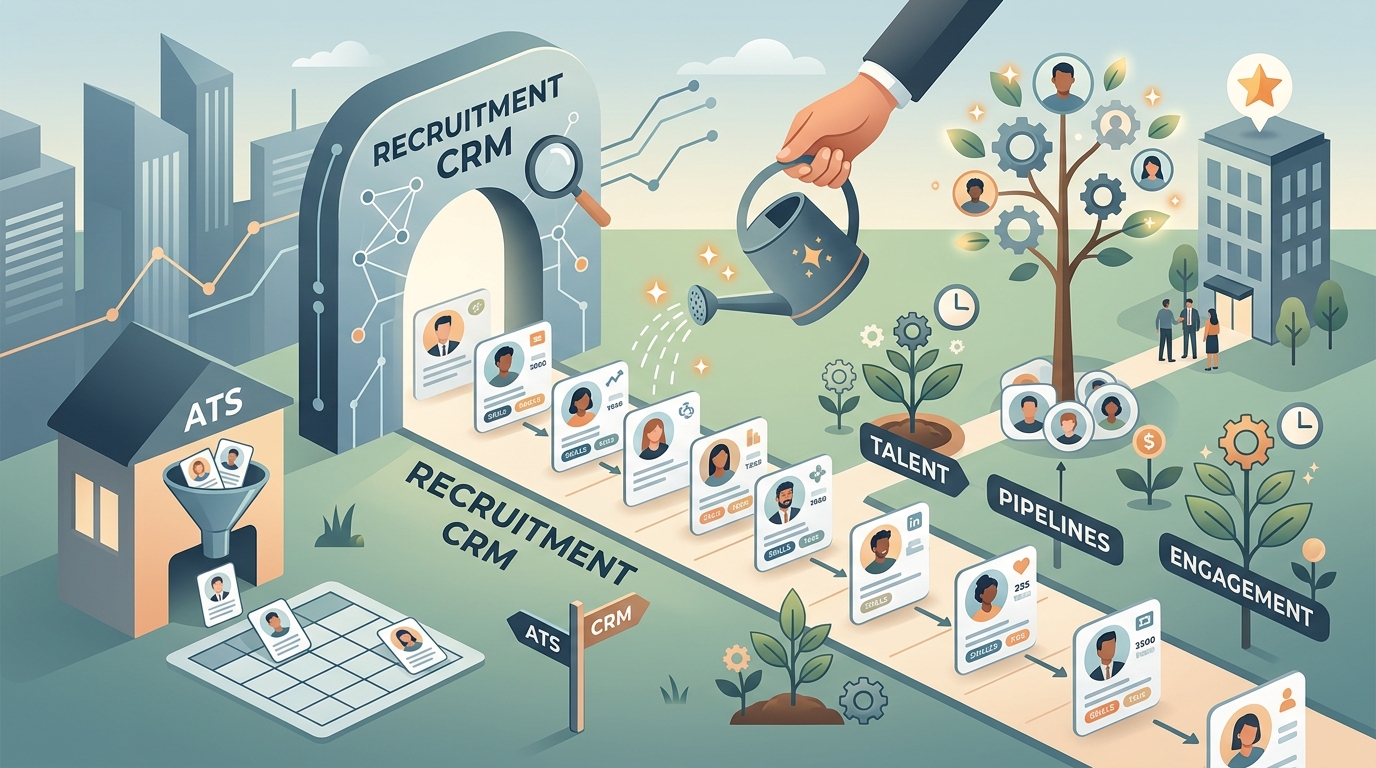
TL;DR: A recruitment CRM (candidate relationship management) is software that helps you build and nurture long-term talent pipelines —keeping passive candidates, silver medalists, and future hires warm until the right role opens. It is not the same as an applicant tracking system (ATS): an ATS manages the candidates already in your hiring workflow, while a recruitment CRM manages relationships with people who have not applied yet. The best pick depends on your hiring volume and how often you re-hire the same profiles. Whichever CRM you choose, it can only nurture the candidates you have already found — so pairing it with AI people search that surfaces new talent is what keeps the pipeline full.
Most talent teams discover the need for a recruitment CRM the same way: they lose a great candidate to a competitor, then realize they had no system to stay in touch with the runner-up, the “not right now” reply, or the strong applicant for a role that closed. Every one of those relationships was pipeline — and it evaporated because there was nowhere to keep it warm.
That is the exact gap a recruitment CRM fills. Where an applicant tracking system is built to move active candidates through a hiring process, a recruitment CRM is built to hold relationships over months and years, so that the next time you open a role you start from a warm bench instead of a cold search. If you are building out a modern talent acquisition stack, understanding where a CRM fits — and where it does not — saves you from paying for overlapping tools that each solve one problem partway.
This guide covers what a recruitment CRM actually does, how it differs from an ATS, the features worth paying for, how to choose one for your stage, and where AI-native candidate sourcing fits into the picture. By the end you should know whether you need a recruitment CRM today, and what to look for when you compare vendors.
What Is a Recruitment CRM?
A recruitment CRM is software that stores, organizes, and nurtures your relationships with candidates over time — especially passive talent who have not applied. Borrowed from the sales world, “CRM” stands for candidate (or customer) relationship management. In recruiting, it means a central database of people you want to hire eventually, plus the tools to keep them engaged: email campaigns, tags and segments, reminders, and a full record of every touchpoint.
The core idea is proactive, not reactive. Instead of waiting for applicants, you build a talent pipeline — a curated pool of engineers, salespeople, designers, or executives you would love to hire when the timing is right. A recruitment CRM (sometimes called a talent pool software or talent-marketing platform) lets you nurture that pool with content, updates, and personalized outreach so that when a req opens, you already have warm relationships to activate.
Typical uses include re-engaging past applicants and silver medalists, running talent communities for high-demand roles, drip-emailing passive candidates, and tracking every interaction so no one falls through the cracks. For agencies and high-growth teams, a recruitment CRM is the difference between rebuilding a shortlist from zero each quarter and pulling from a bench that has been quietly growing all year.
Recruitment CRM vs ATS: What Is the Difference?
The short answer: an ATS manages active candidates inside a hiring process, while a recruitment CRM manages long-term relationships with passive candidates who have not applied. They overlap, and many platforms now bundle both, but the underlying jobs are different. An ATS is a system of record for the funnel; a recruitment CRM is a system of engagement for the pipeline that feeds the funnel.
Put another way, an applicant tracking system is reactive — it starts working the moment someone applies, then tracks that person through screening, interviews, offer, and hire. A recruitment CRM is proactive — it works before anyone applies, building and warming a pool so that applications (or direct hires) happen faster later. Confusing the two is the most common recruiting-software buying mistake.
| Dimension | Recruitment CRM | Applicant Tracking System (ATS) |
|---|---|---|
| Primary job | Nurture long-term candidate relationships | Manage active candidates through hiring |
| Candidate type | Passive talent, silver medalists, future hires | Applicants already in the pipeline |
| Motion | Proactive — build a bench before roles open | Reactive — process people who applied |
| Core features | Talent pools, email campaigns, segments, nurture | Job postings, stages, scorecards, compliance |
| Best for | Teams re-hiring similar profiles, agencies | Every team past the first few hires |
| Typical cost | $100–$400/user/mo | $100–$500+/user/mo |
In practice, most mature teams run both: the ATS is the hub for anyone actively interviewing, and the recruitment CRM sits upstream, holding the relationships that are not ready yet. Neither one finds new candidates on its own, which is why candidate sourcing automation is a separate layer that feeds both.
A recruitment CRM is only as valuable as the talent inside it. Lessie searches 100+ live sources per query, verifies contact details in real time, and hands back candidates static databases miss entirely — so the pipeline you nurture starts full. Start on the free tier, no credit card required.
Key Features to Look For in Recruitment CRM Software
The features that matter in a recruitment CRM all serve one goal: turning a static list of names into warm, ready-to-activate relationships. Ignore the long feature checklists and focus on the handful of capabilities that actually move time-to-hire and pipeline quality. Below are the ones worth paying for.
- Talent pools and segmentation. The ability to group candidates by role, skill, location, or seniority, then act on each segment differently. Good segmentation is what makes nurture feel personal instead of spammy.
- Automated nurture campaigns. Drip email sequences, newsletters, and event invites that keep passive candidates engaged on autopilot. Look for scheduling, A/B testing, and reply tracking, not just a bulk-send button.
- A complete interaction history. Every email, note, call, and status change in one candidate record, so any recruiter can pick up a relationship without re-reading a thread. This is the backbone of a real CRM.
- Candidate enrichment. Verified emails, current job titles, and up-to-date profile data attached automatically. A pool built on stale contact details bounces —fresh data is what keeps outreach landing.
- ATS integration. Clean two-way sync with your applicant tracking system so a nurtured candidate flows into the hiring workflow without manual re-entry. A CRM that lives in a silo creates a double-entry tax that quietly kills adoption.
- Reporting and pipeline analytics. Metrics on pool growth, engagement, and source-of-hire so you can prove the CRM is producing pipeline, not just storing names.
One feature people overlook: how candidates get into the CRM in the first place. Many platforms assume you already have a list to import. In reality, the hardest part is discovery — which is why the strongest setups pair a recruitment CRM with AI people search that continuously surfaces fresh candidates to add to each pool.
How to Choose the Right Recruitment CRM
Choose a recruitment CRM by matching it to your bottleneck, your hiring volume, and the tools you already run — not by counting features. A five-person startup and a 200-recruiter agency need very different things, and the “best” platform is the one that fits your stage without forcing you to pay for capacity you will not use. Work through these questions before you shortlist vendors.
Do you actually re-hire similar profiles? A recruitment CRM earns its keep when you hire the same roles repeatedly — sales, engineering, nursing, retail — and want a bench to draw from. If every hire is one-off, a lightweight ATS may be all you need, and a CRM is premature.
Will it integrate with your ATS? Your applicant tracking system is the hub. Any recruitment CRM you add should sync candidates and statuses both ways without copy-paste. Native integrations beat brittle Zapier chains, so confirm your ATS is on the supported list before you commit.
How fresh is the candidate data? A CRM full of two-year-old emails is a liability. Prioritize platforms that enrich and re-verify contact details over time, or that connect to a source of live, verified data — otherwise your nurture campaigns bounce and your deliverability suffers.
Does it fit your budget and team size? Recruitment CRM software commonly runs $100–$400 per user per month, and enterprise talent-marketing suites cost more. Small teams should start lean, prove the pipeline value, and expand — not buy a 200-seat platform for a three-person team. When you compare recruiting tools more broadly, our guide to the best recruiting software breaks down where a CRM sits among the other categories.
Do You Actually Need a Recruitment CRM?
Not every team needs a recruitment CRM — and buying one before you have a pipeline to manage wastes budget. The honest test is whether you have relationships worth nurturing that are currently falling through the cracks. If candidates keep slipping away and you have no system to stay in touch, a CRM pays for itself. If you are still struggling to find candidates at all, the CRM is not your first problem.
You probably need one if you hire the same profiles on repeat, run a talent agency, maintain a careers-page talent community, or routinely lose great runner-ups because no one follows up. In all of these, the constraint is relationship management, and a recruitment CRM is the right tool.
You probably do not need one yet if your hiring is low-volume and one-off, your ATS already handles the handful of candidates you touch, or — most commonly —your real bottleneck is that you cannot find enough qualified candidates in the first place. In that case, invest in sourcing before you invest in nurturing. Tools for automated recruiting and live people search deliver more return when the top of your funnel is empty than any CRM can.
The sequencing matters. A recruitment CRM multiplies the value of candidates you have already found, but it cannot create pipeline out of nothing. Fill the funnel first, then add the CRM to make sure the people you find never go to waste.
Where AI People Search Fits Alongside a Recruitment CRM
A recruitment CRM answers “how do I keep candidates warm?” It does not answer “where do the candidates come from?” That is the job of candidate sourcing — and it is the part of the stack that has changed most. Traditional sourcing meant filtering a static resume database or LinkedIn; if a strong candidate was not indexed there, you never saw them. AI people search removes that blind spot.
Lessie is an agentic search engine built for exactly this problem. Instead of filtering one static database, it queries 100+ live sources per search — company sites, GitHub, portfolios, conference talks, publications, and social platforms — then verifies contact details at the moment of search rather than serving a stale cache. For recruiters, that means the pool you feed into your recruitment CRM is bigger, fresher, and includes candidates no competitor found.
It slots cleanly beside the rest of your tools. Your ATS stays the system of record for active candidates. Your recruitment CRM nurtures the passive ones. Lessie sits at the very top, continuously discovering new talent — with verified emails — to add to each pool, so your CRM never runs dry. Because it combines discovery, enrichment, and outreach in one flow, it also removes the copy-paste work that makes manual talent sourcing automation so slow.
A grounded way to think about the full stack: use AI people search to find, a recruitment CRM to nurture, and an ATS to hire. Each solves a distinct problem, and together they mean your pipeline is never limited to the candidates who happened to apply. For most talent teams, filling that discovery gap is what finally makes the CRM investment worth it.
Stop nurturing an empty pipeline. Lessie searches the live web to surface candidates your ATS and databases never see, verifies their contact details, and drafts personalized outreach — all in one workflow, so every pool in your recruitment CRM starts full. Start on the free tier, no credit card required.