




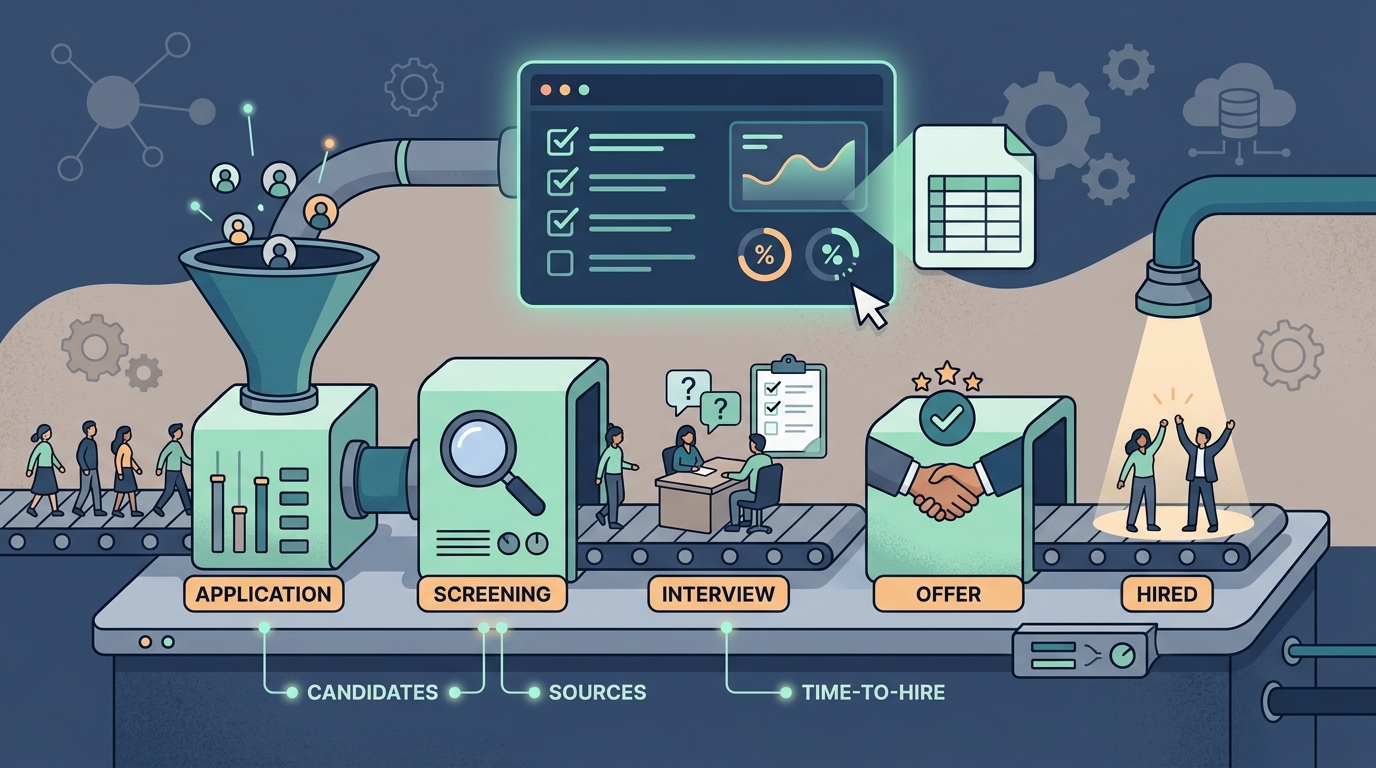
TL;DR: A recruitment tracker is a spreadsheet or system with one row per candidate and columns for role, pipeline stage, source, applied date, last contact, status, and notes — eight columns across five stages (Sourced, Screening, Interviewing, Offer, Closed). A free spreadsheet works for one to five open roles; switch to a paid ATS once you have several recruiters, high volume, or real compliance needs. Copy the template below to start today.
A recruitment tracker is the single source of truth for every candidate in your hiring pipeline. At its simplest it is a spreadsheet — one row per candidate, one column per thing you need to remember: which role they applied for, what stage they are in, where they came from, when you last spoke, and what happens next.
The moment you are hiring for more than one role, or more than one person is involved in interviews, a tracker stops being optional. Without it, candidates fall through the cracks, follow-ups slip, and you cannot answer the two questions every hiring manager eventually asks: “Where is this candidate?” and “Why is this taking so long?”
There are a lot of “recruitment tracker template” downloads floating around, and most of them are fine. But a template is only half the story. What actually determines whether your hiring runs smoothly is what you track, how consistently you update it, and whether you feed it enough qualified candidates in the first place.
This guide covers all three: a free copy-paste template you can drop into Google Sheets or Excel today, the fields and metrics worth tracking, the honest tradeoffs between a spreadsheet and a full ATS, and the free tools that make the tracker itself far less manual.
What a Recruitment Tracker Actually Does
A recruitment tracker answers five questions at a glance: how many candidates are in the pipeline for each open role, how many are stuck at screening versus nearing an offer, which sources produce candidates who advance, how long someone has sat in their current stage, and who is overdue for a follow-up right now.
A well-maintained tracker turns hiring from a series of scattered inbox threads into a pipeline you can manage like any other funnel. The mental model is simple: a recruitment tracker is a mini-CRM for people you might hire. Just as a sales team tracks deals through stages, you track candidates through stages. And just like a sales pipeline, the value is not in the tool — it is in the discipline of keeping every row current so the numbers you read are true.
What to Track: Pipeline Stages, Candidates, and Status
Most recruitment trackers use five core pipeline stages: Sourced/Applied, Screening, Interviewing, Offer, and Closed. Track which stage each candidate currently sits in, then add or rename stages to match your own hiring process — the breakdown below explains what each stage covers and when a candidate should move to the next one.
- Sourced / Applied — the candidate is in the pipeline but you have not yet reviewed them. Inbound applicants and people you proactively found both land here.
- Screening — resume review plus a recruiter phone screen to confirm basic fit, motivation, and compensation expectations.
- Interviewing — one or more rounds with the hiring manager and the team, including any take-home or technical assessment.
- Offer — references, offer prepared, offer extended, and negotiation.
- Closed — a terminal state: Hired, Rejected, or Withdrawn. Keep closed rows; they are the raw material for your metrics.
With stages defined, the columns almost write themselves. You want enough fields to run the pipeline and none of the vanity fields that make the tracker tedious to maintain. Eight columns cover the vast majority of teams.
The Free Recruitment Tracker Template
Copy the table below straight into Google Sheets or Excel — the header row and a few example rows are ready to paste. Delete the sample data, keep the columns, and you have a working recruitment tracker in under a minute. No download, no email gate.
| Candidate | Role | Stage | Source | Applied Date | Last Contact | Status | Notes |
|---|---|---|---|---|---|---|---|
| Jordan Lee | Senior Backend Engineer | Interviewing | Referral | 2026-07-02 | 2026-07-18 | Active – onsite scheduled | Strong system-design round; check comp expectations |
| Priya Nair | Senior Backend Engineer | Screening | LinkedIn / Sourced | 2026-07-10 | 2026-07-15 | Active – awaiting reply | Sent recruiter screen invite; nudge if no reply by Fri |
| Marcus Diaz | Product Designer | Offer | Job Board | 2026-06-20 | 2026-07-19 | Offer extended | Negotiating start date; references cleared |
| Sofia Alvarez | Product Designer | Closed | Referral | 2026-06-25 | 2026-07-08 | Rejected – portfolio fit | Great communicator; keep warm for future mid-level roles |
Here is why each of the eight columns earns its place:
- Candidate — name (link it to their resume, LinkedIn, or profile so the row is a launchpad, not a dead end).
- Role — the specific requisition. This is what lets you slice the tracker per open position and count pipeline depth by role.
- Stage — the current pipeline stage from your five-stage list. Use data validation (a dropdown) so stages stay consistent and countable.
- Source — where the candidate came from (referral, LinkedIn, job board, sourced, agency). Over time this column tells you which channels actually produce hires, not just applicants.
- Applied Date — when they entered the pipeline. Paired with the close date, this is your time-to-hire clock.
- Last Contact — the single most important column for candidate experience. Sort by it to instantly see who is overdue for a follow-up.
- Status — a short free-text state within the stage (“awaiting reply,” “onsite scheduled,” “offer extended”). Stage is the bucket; status is the detail.
- Notes — everything a future you or a teammate needs: interview impressions, comp expectations, red flags, and the next action.
One habit beats any template: update the Last Contact and Stage columns the same day something happens. A tracker that is even two days stale quietly becomes fiction, and you will stop trusting it. Block five minutes at the end of each day to reconcile rows.
Spreadsheet Tracker vs. ATS: The Honest Tradeoffs
A spreadsheet is not a lesser choice — it is the right choice for a lot of teams. But it has a ceiling, and knowing where that ceiling sits saves you from either over-tooling too early or clinging to a spreadsheet long past the point it helps.
| Dimension | Spreadsheet tracker | Applicant tracking system (ATS) |
|---|---|---|
| Cost | Free (Google Sheets / Excel) | $100–$500+/user/month |
| Setup time | Minutes | Days to weeks |
| Best for | 1–5 open roles, small team | High volume, multiple recruiters |
| Collaboration | Manual; easy to overwrite rows | Role-based access, audit trail |
| Automation | None (or DIY formulas) | Auto stage updates, scheduling, email sync |
| Reporting | DIY pivot tables | Built-in funnel and time-to-hire dashboards |
| Compliance | On you (GDPR, EEO records) | Built-in retention and consent handling |
The rule of thumb: stay on a spreadsheet while it is faster than the alternative. Once you are juggling five or more concurrent reqs, several interviewers, and hundreds of applicants a month — or once compliance and audit trails become a real requirement — the manual overhead of a spreadsheet outweighs its simplicity, and an ATS pays for itself.
Until then, a well-kept tracker will out-perform a half-configured ATS every time. If you want a broader breakdown of tooling categories, our guide to the best recruiting software walks through ATS, sourcing, and AI search side by side.
Metrics Worth Adding to Your Tracker
The eight base columns run your day-to-day pipeline. Six derived metrics turn that same data into a hiring dashboard: time-to-hire, time-in-stage, stage conversion rate, source effectiveness, pipeline coverage, and offer acceptance rate. Add them as extra columns or a second summary tab, calculated straight from data you already track.
- Time-to-hire — days between Applied Date and offer acceptance. Compute per hire and average it. This is the number leadership asks about most.
- Time-in-stage — days since the last stage change. A candidate sitting in “Screening” for three weeks is a process leak, not a busy calendar.
- Stage conversion rate — the percentage of candidates who move from one stage to the next. If 40 people screen but only 4 reach an onsite, your screen or your job description needs work.
- Source effectiveness — hires (not applicants) per source. This is how you learn that referrals convert at 3x the rate of a job board and reallocate effort accordingly.
- Pipeline coverage — active candidates per open role. A common rule is roughly 3–5 qualified candidates in-progress per hire you need to make.
- Offer acceptance rate — accepted offers divided by extended offers. A dip here points at comp, timing, or candidate experience issues earlier in the funnel.
Tools That Complement Your Tracker
A recruitment tracker is only as good as the candidates and context you feed into it. Free tools can handle most of the manual work — finding candidates, writing job descriptions, screening resumes, and drafting outreach — so you spend your time deciding, not typing. Here is how to pair each part of the tracker with one:
- Fill the top of the funnel — before anyone lands in your “Sourced” stage, you have to find them. Use our free who is hiring right now and hiring signal scanner to spot demand and target candidates, and the boolean search generator to build the LinkedIn and search-engine strings that surface qualified people.
- Write a job description that converts — a sharper JD raises your stage-conversion rate. Draft it with the free job description generator and reuse the language in your outreach.
- Screen faster and more fairly — keep your Screening stage moving with the free AI resume screener and resume scorer so you rank candidates on evidence, not gut feel, before you invest interview time.
- Run structured, comparable interviews — standardize your Interviewing stage with a free interview scorecard template and generate role-specific questions with the interview question generator so every candidate is judged on the same bar.
- Keep candidates warm — the Last Contact column is where offers are won or lost. Use free recruiting email templates to send timely, personalized follow-ups instead of letting rows go stale.
- Close cleanly — when a row hits the Offer stage, generate a professional offer in minutes with the free offer letter generator.
If your bottleneck is the top of the funnel — not enough qualified people to put in the tracker at all — that is exactly what candidate sourcing automation solves: Lessie searches 100+ sources in real time and hands you verified candidates you can drop straight into the Sourced stage. Read more about the full AI recruiting workflow to see how sourcing, screening, and outreach connect end to end.
Best Practices for a Tracker People Actually Use
A recruitment tracker only pays off if the whole team actually uses it, and uses it the same way. These six habits keep a tracker accurate day to day, whether one recruiter owns it alone or several interviewers update it together, and they take minutes, not hours, to build into your routine.
- Standardize your inputs. Use dropdowns for Stage, Source, and Status so the data stays countable. Free text in those columns quietly breaks every metric.
- Update on the same day. A tracker is a real-time instrument. Reconcile rows daily; a stale tracker is worse than none because it is confidently wrong.
- One row, one owner. Assign a recruiter or hiring manager to each candidate so no one assumes someone else sent the follow-up.
- Never delete closed rows. Rejected and withdrawn candidates are your metrics — and your future pipeline. Move them to Closed, do not erase them.
- Review the funnel weekly. Ten minutes scanning time-in-stage and pipeline coverage will catch stalled reqs long before they become “why is this taking so long” conversations.
- Mind compliance. A tracker holds personal data. Limit access, set a retention policy, and be mindful of GDPR and EEO record-keeping obligations if you operate in regulated regions.
A recruitment tracker will not hire anyone for you — but it will keep you honest, keep candidates from slipping away, and give you the numbers to make hiring faster every quarter. Start with the eight columns above, pair them with the free tools that automate the busywork, and update the thing daily. That is the whole system.