




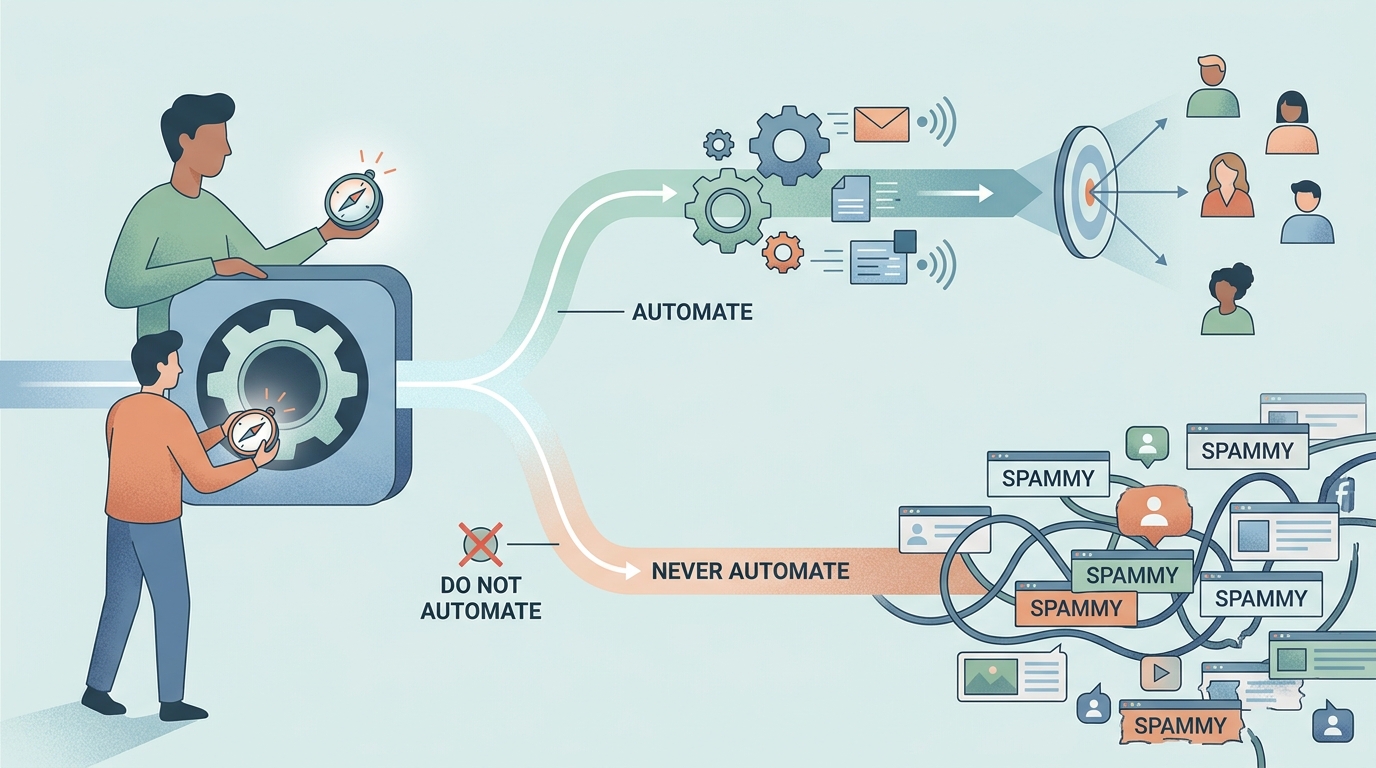
TL;DR: Automated LinkedIn prospecting works when you automate the research layer—finding the right people, monitoring signals, drafting personalized openers—and keep the actual engagement human. Blast-connection bots get accounts restricted and brands remembered for the wrong reason. This guide draws the line precisely: what to automate, what never to, the compliance boundaries, and a five-step signal-based workflow that scales without sounding like it did.
LinkedIn is where B2B buyers are reachable—and where lazy automation is most visible. Every professional has received the instant pitch after a connection accept, sent by software pretending to be a person. The result is a paradox: prospecting on LinkedIn has never been more automatable, and indiscriminate automation has never worked worse. The answer is not less automation. It is automating the right layer.
What Can You Safely Automate in LinkedIn Prospecting?
You can safely automate everything that happens before a human-to-human touch: discovery, signal monitoring, research, qualification, and drafting. These consume most of an SDR's LinkedIn hours and none of them require pretending to be you.
- Finding the right people. Turning an ideal-customer description into a list of real, current profiles is search work—AI does it faster and fresher than manual filtering.
- Monitoring signals. Watching for job changes, funding posts, hiring announcements, and relevant engagement across hundreds of accounts is exactly the always-on work machines exist for.
- Research and qualification. Reading a profile, recent posts, and company context to decide fit-and-timing can be compressed from twenty minutes to seconds.
- Drafting personalization. A first draft anchored to a real signal—written for you to edit and send—preserves your voice while removing the blank page.
What should stay human: sending, replying, and everything after. The moment a prospect engages, they are talking to your brand—that conversation is the product of the whole exercise, and it is the one thing automation demonstrably degrades.
What Breaks Accounts and Brands?
Mass automated actions through your own profile break both. LinkedIn's terms prohibit third-party automation that scrapes or performs bulk actions on your behalf, and its detection looks for exactly the patterns bots produce—bursts of connection requests, identical messages, inhuman activity rhythms.
- Account risk. Restrictions and bans hit the profile you sell with. A seasoned rep's account—years of connections and credibility—is a bad chip to bet on a connection-blast tool.
- Brand risk. The instant-pitch DM is remembered. Buyers screenshot the worst ones. A hundred bot messages that convert nobody still teach a hundred buyers what your company thinks of their time.
- Math risk. Blast outreach optimizes the number that does not matter. Fifty signal-anchored, human-sent messages routinely out-produce a thousand automated ones on replies—and produce zero restriction risk while doing it.
The compliance boundary, plainly: automate analysis of public information and your own drafting workflow; do not automate bulk actions inside LinkedIn through your profile. That line keeps you effective, safe, and—not incidentally—likeable.
How Do You Automate LinkedIn Prospecting the Right Way?
The right workflow automates in five steps, each feeding the next, with the human entering exactly where judgment and relationship begin. Here is the signal-based version teams run with Lessie:
- 1Define the buyer in plain English
Write the ideal-customer description you would give a new SDR: role, company profile, and—critically—the signals that make someone worth contacting this week (posted about a pain point, changed jobs, company hiring). This sentence is your automation's targeting instruction, so specificity here multiplies everything downstream.
- 2Let the agent find and qualify people
Run the description through an AI agent that searches live sources rather than a stale database. The core motion of LinkedIn prospecting is matching real people to real signals—the agent returns profiles with the evidence attached, not just names that matched keywords.
- 3Score the engagement, not just the profile
For prospects who posted or engaged with something relevant, qualify the moment—paste the post into the LinkedIn Lead Qualifier and get a read on buyer fit, urgency, and whether the commenters are better prospects than the author.
- 4Edit the drafted opener, then send it yourself
Good automation hands you a draft anchored to the signal ("your post about onboarding drop-off"), never a template with a first name slotted in. Edit for voice, then send from your own account at human pace. Twenty excellent sends a day beats two hundred automated ones—in replies and in safety.
- 5Track responses and recycle the signals
Replies, profile views, and new engagement are fresh signals—feed them back into the loop. Non-responders who later change jobs or post again re-enter the queue with a better opener than "bumping this."
Measure the workflow on reply quality, not activity volume. The numbers worth watching: reply rate per twenty sends (signal-anchored messages should clear 15-20%, several times the blast baseline), positive-reply share (a "not now, but good timing question" counts—it validates the signal even when the answer is no), and signal-to-send time (how long between a signal firing and your message landing—under 48 hours is where the timing advantage lives). If reply rates sag, the fix is almost never more volume; it is tighter signal definitions in step one. And if a particular signal type—say, job changes—keeps outperforming, weight the monitoring toward it and let the weaker signals go. The workflow improves by subtraction as much as addition.
How Does This Fit a Bigger Automation Stack?
LinkedIn is one channel in a wider motion. Teams running full outbound pair this workflow with an autonomous email layer—the division of labor our roundup of the best AI SDR tools compares in detail—and with an agent like an AI BDR handling the always-on monitoring that no rep can. The constant across every stack shape: signals decide who gets attention, machines do the homework, and a human owns the conversation.
If you are choosing tooling for the LinkedIn layer specifically, our guide to AI tools for LinkedIn covers the category tool by tool; this article is the workflow those tools should serve.